
New Tap-to-Pay/Contactless Cards:
Frequently Asked Questions
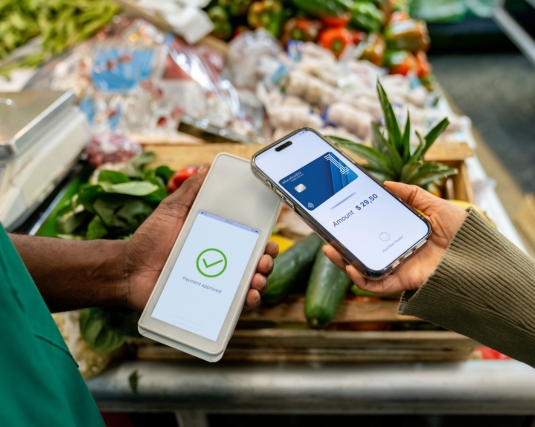
1. What is Contactless/Tap to Pay payment?
👉 Tap to Pay/Contactless Payments use short-range wireless technology to make secure payments between a contactless card or payment-enabled device and a contactless-enabled checkout terminal. Customers can tap their card near the Tap-to-Pay/Contactless Symbol, and their payment is sent for authorization.
2. What do I need to do once I receive my first Tap-to-Pay/Contactless Card?
👉 Upon receiving your new card, your first step is to call the activation number provided on the card carrier. During this process, you will activate your card, and if you have a debit card, establish your Personal Identification Number (PIN). Previous PIN's do not transfer over to the new Tap-to-Pay card. You may choose to use the same PIN you previously had, if preferred.
👉 You do not need to set a PIN for your new Visa credit card.
3. How do I know if my card is equipped with Tap-to-Pay/Contactless technology?
👉 Simply look for the Tap-to-Pay/Contactless Symbol on the front of your card.
4. Can I still swipe or insert my card?
👉 Yes! You can still conduct transactions by swiping or inserting your card at checkout. We've simply added Tap-to-Pay/Contactless payments as a new and easier way to pay.
5. Is tapping safe?
👉 Yes! Tap-to-Pay/Contactless payments offer the same security as EMV Chip transactions. Cardholders can't pay accidentally. Your card must be within 1-2 inches of the Tap-to-Pay/Contactless-enabled checkout terminal for the transaction to occur.
6. Where can I pay with a Tap-to-Pay/Contactless card?
👉 You can use your Tap-to-Pay/Contactless card anywhere you see the Tap-to-Pay/Contactless payment symbols.
7. How do I use a Tap-to-Pay/Contactless card?
👉 When you are ready to check out, you can simply tap your card at the enabled terminal. The card should be within 1-2 inches of the terminal for 2-3 seconds; however, some terminals function best if you tap the Tap-to-Pay/Contactless card to the terminal itself.
8. What are the benefits of Tap-to-Pay/Contactless payments?
👉 Tap-to-Pay/Contactless payments are easy. Simply tap your Tap-to-Pay/Contactless card on the contactless-enabled checkout terminal. They are also fast and convenient to use in places where you need to pay on the go.
9. Can my new Tap-to-Pay/Contactless card be added to a Digital/Mobile Wallet?
👉 Yes! The new Tap-to-Pay/Contactless card can be added to most Digital/Mobile Wallets, including Apple Pay, Google Pay, Samsung Pay, etc.
10. Will I need to update my existing card in my Digital/Mobile Wallet?
👉 Members will need to remove their existing card from the Digital/Mobile Wallet and re-add their new Tap-to-Pay/Contactless card.